
MyDraw5.4 - Download
You'll be able to download in few seconds.
Publisher Description
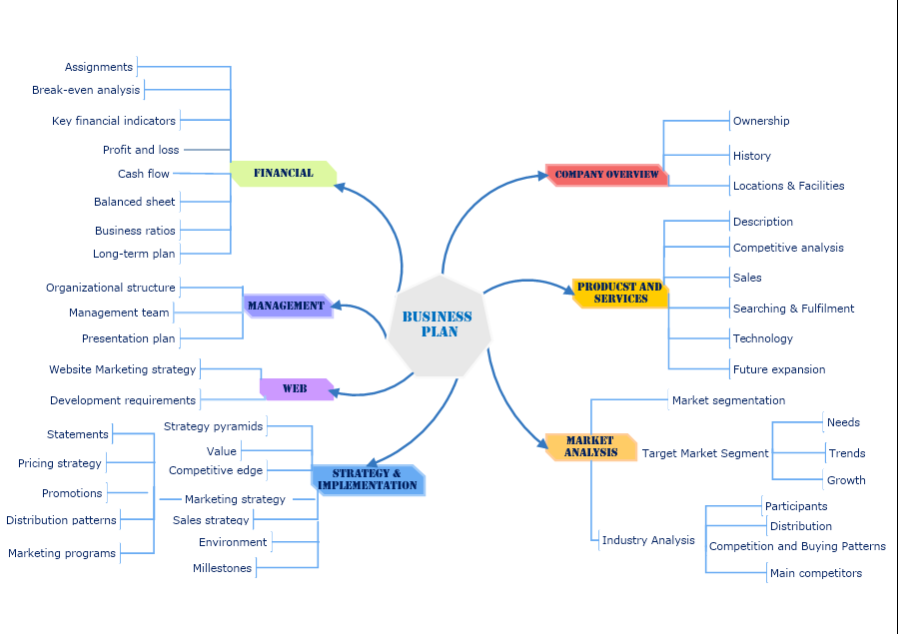
MyDraw for Mac is an advanced diagramming software and vector graphics drawing tool. This diagram software includes powerful features to help you create flowcharts, org charts, mind maps, network diagrams, floor plans, family tree diagrams, general business diagrams, vector drawings, flyers, certificates and others.
Following are the major features of the application:
-100+ Diagram Examples and Templates - includes many ready-to-use templates for flowcharts, organizational charts, flyers, certificates business cards, family tree diagrams and many other diagram types.
-700+ Diagram Shapes and Symbols - more than 700 predefined shapes organized in 25 shape libraries.
-MS Visio Compatibility - MyDraw is the best Microsoft Visio alternative for macOS (Mac OS X). You can use it to view, edit and save your Visio Drawing (VSDX) and Visio 2003-2010 Drawing (VSD, VDX) files. MyDraw can also be used a Visio viewer. You can also import and export Visio Stencils (VSSX) and Visio 2003-2010 Stencils (VSS, VSX).
-Automatic Diagram Layouts - lots of automatic layouts to help you quickly arrange your diagrams
-Powerful Rich Text Support - powerful support for rich text and text formatting. You have full control over the text font, text styles, paragraph alignment, bullets and numbering, images, etc.
-Advanced Table Support - support for tables with master cells, multi cell selection, text orientation etc.
-Spell Check and Proofing Languages
-Import of map data from ESRI shapefiles.
-Support for creating and inserting in your diagrams more than 30 types of linear and matrix barcodes like EAN-13, UPC, UPC-A, Code-39, Code-128, ISBN, PDF417, Data Matrix, QR Code, etc.
-GEDCOM Format Family Trees - the software supports importing from and exporting to GEDCOM format. This makes it the perfect tool for drawing family tree diagrams.
-Export to PDF, SVG, EMF+, PNG, JPEG and BMP.
-Import from SVG, WMF, EMF, EMF+, PNG, JPEG and BMP.
-Windows and Mac versions.
About MyDraw
This Office Suites & Tools program is available in English, Bulgarian, Chinese, German, Portuguese, Russian, Spanish, Turkish. It was last updated on 29 September, 2026. MyDraw is compatible with the following operating systems: Mac.
The company that develops MyDraw is Nevron Software LLC. The latest version released by its developer is 5.4.
The download we have available for MyDraw has a file size of 286.3 MB. Just click the green Download button above to start the downloading process. The program is listed on our website since 2023-01-05 and was downloaded 0 times. We have already checked if the download link is safe, however for your own protection we recommend that you scan the downloaded software with your antivirus. Your antivirus may detect the MyDraw as malware if the download link is broken.
How to install MyDraw on your Windows device:
- Click on the Download button on our website. This will start the download from the website of the developer.
- Once the MyDraw is downloaded click on it to start the setup process (assuming you are on a desktop computer).
- When the installation is finished you should be able to see and run the program.
Program Details
General
System requirements
Download information
Pricing
Version History
version 5.4.0
posted on 2023-01-05
- Improved high DPI support, with support for per-monitor DPI awareness.
- MS Visio import and export improvements
- AutoCAD import and export improvements
- Improved PDF export - multipage PDF export as well as export of hyperlink elements in PDF
- Improved printing - multi-page printing
version 5.3.0
posted on 2022-10-05
Includes the following improvements and fixes:
* Redesigned library browser.
* 300+ new libraries.
* 8000+ new shapes.
* Support for Shape hyperlinks.
version 5.0.2
posted on 2021-02-19
MyDraw Diagramming Software for Mac v5.0.2 has been officially released and is now available for download! The new version comes with Redesigned library browser, 300+ new libraries, Thousands of new shapes, Shape hyperlinks, 20% faster startup of MyDraw,
AutoCAD import and export.
Disclaimer
External Download
We do not host MyDraw on our servers. We did not scan it for viruses, adware, spyware or other type of malware. This app is hosted by the software publisher and passed their terms and conditions to be listed there. We recommend caution when installing it.
The external download link for MyDraw is provided to you by apps112.com without any warranties, representations or guarantees of any kind, so access it at your own risk.
If you have questions regarding this particular app contact the publisher directly. For questions about the functionalities of apps112.com contact us.
